Every inspection, its due date and its certificate

Building health & compliance tracker

Schedule the statutory inspections for each building, record each outcome with its certificate, and export the compliance record.

https://domera.cy/dashboard/compliance
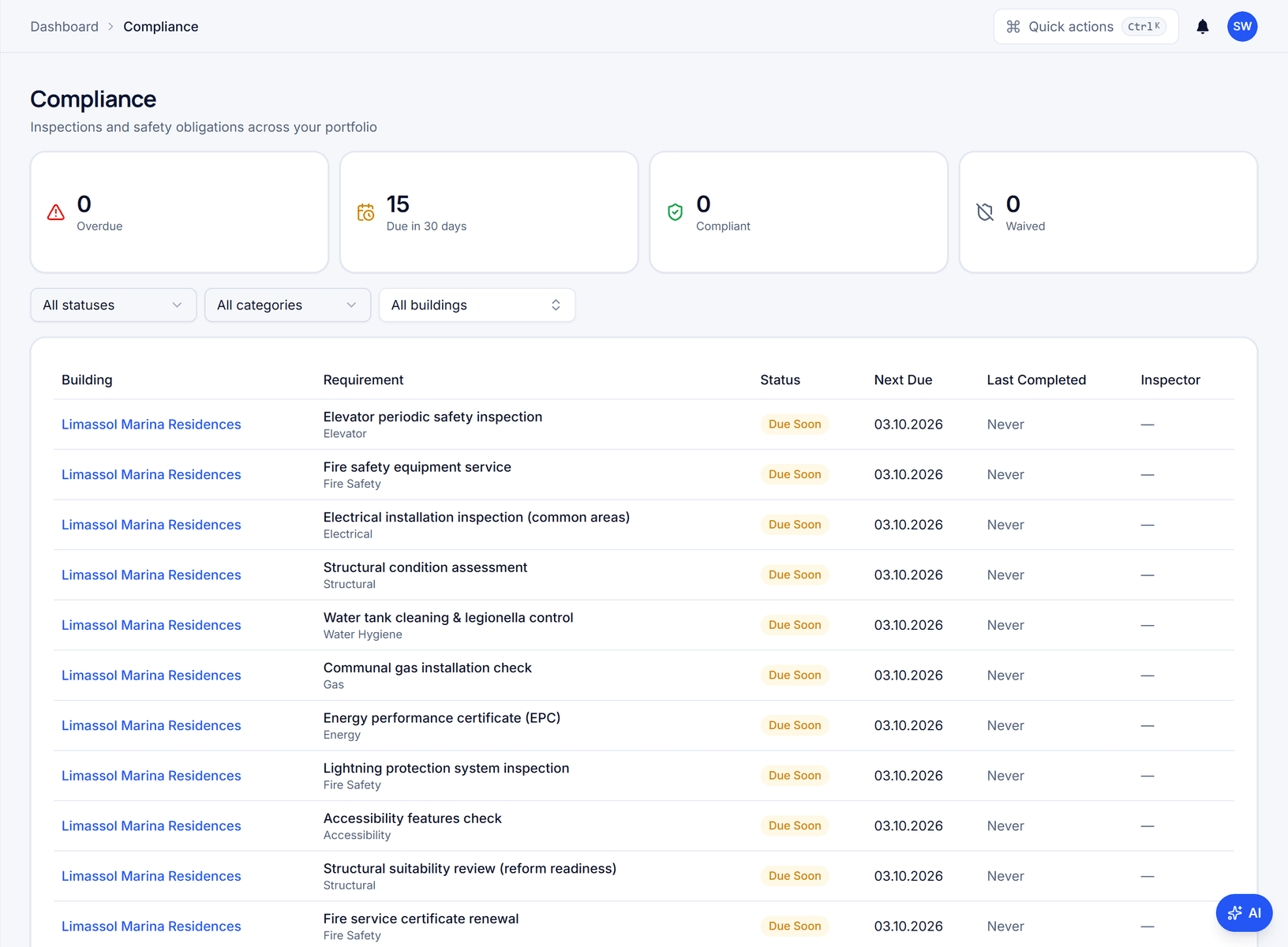
Compliance register listing each requirement for a building with category, status, next due date and last completed date, under counters for overdue, due in 30 days, compliant and waived

Outcome

The catalogue is seeded for Cyprus, Greece, Germany and the UK alongside universal items, and each recorded inspection sets the next due date from the item's interval.

In practice

Why teams use this feature

What managers and committees tell us it changes in the monthly routine.

  • Per-country catalogue of standard requirements, applied in one step

  • Certificates read on upload; the inspection record is pre-filled for you to confirm

  • Due dates follow linked insurance policies and service contracts

  • Each overdue inspection deducts 10 points from the building health score (maximum 20)

  • Lift, fire safety, electrical, legionella, water tank, lightning protection, energy certificate and insurance items

  • Reminders and optional auto-created tasks when an item comes due

  • Signable compliance record PDF for the authority and the AGM

  • A completed AGM fulfils the "Hold the AGM" item automatically

  • Owners read the building's compliance status in the portal

How it works

What this feature does

Apply your country's standard requirements to a building in one step — lift inspection, fire safety servicing, electrical certificate, legionella control and more — then record each inspection and its certificate as it happens. Insurance-backed requirements follow the policy's expiry; contract-backed ones follow the service contract. Overdue items lower the building's health score and appear in the Action centre.

01

Which inspections does a building owe, and how often?

Intervals are set nationally. The catalogue holds country-neutral requirements plus entries for Cyprus, Germany, Greece and the UK, each with a default interval and category — lift, fire safety, electrical, structural, water hygiene, gas, energy. Apply the set for your country and each item gets a next due date. Edit an interval where local rules differ: the catalogue is a starting point, not legal advice — confirm it locally.

02

How does a due date move without anyone typing it?

Every requirement has a schedule source: manual, insurance or contract. An insurance-backed item takes its due date from the policy's end date, so renewing the policy advances the requirement. A contract-backed item follows the linked service contract's next service date. Manual items advance when you record the inspection. Lift inspections stay manual by design: the certificate, not the contract, is the evidence.

03

What counts as evidence?

Record the inspection by uploading the certificate. Document reading pre-fills inspector, date, result and next due date; you confirm before anything is saved. A failed result stays in the audit trail and can open a high-priority task at once. Export the register as a PDF compliance record for the authority or the AGM. Owners see a read-only view in their portal; you decide which certificates are shared as documents.

04

How does compliance reach the health score and the Action centre?

Each overdue inspection deducts 10 points from the building health score, up to 20; items inside their notification window deduct 5. A daily check at 06:00 sends compliance-due notifications to the responsible team members. The score sits on every building card and on the portfolio map, so an overdue lift certificate in one building is visible from a list of forty.

In the product

See it on the screen

https://domera.cy/dashboard/buildings

Health score on every building card

Buildings grid with a building health score and collection rate on every card

Related

Keep exploring

  • AI building assistant

    Ask about any building, owner or balance in plain language; the Domera assistant answers from your company's own records.

    Learn more
  • Smart allocation engine

    Allocate every common expense by ownership share, floor area, equal parts, floor level, lift share or a custom rule.

    Learn more
  • Owner portal transparency

    Owners sign in and read their own units' statements, balances, payments, documents, compliance status and meetings.

    Learn more

FAQ

Frequently asked questions

More answers on the full FAQ page.

Which inspection types are covered?
Lift safety, fire safety equipment, electrical installations, structural condition, water hygiene and legionella, gas, energy performance certificates, lightning protection, accessibility and more — as country-neutral entries plus Cyprus, German, Greek and UK items. Add your own requirement with any interval.
Can owners see the compliance status?
Yes. Owners get a read-only view of their building's tracked requirements and inspection status in the owner portal. The management company decides which certificates are shared as documents.
What happens when an inspection fails?
The failed result is recorded permanently in the audit trail, and a high-priority follow-up task can be opened at once so the defect is assigned and tracked to resolution.

Start with one building

Ready to put the building's books in order?

Start the 14-day trial, add the first building and run one month through it. Import the owners, post the invoices, issue the statements.

  • 14-day free trial
  • No credit card required
  • Cancel any time