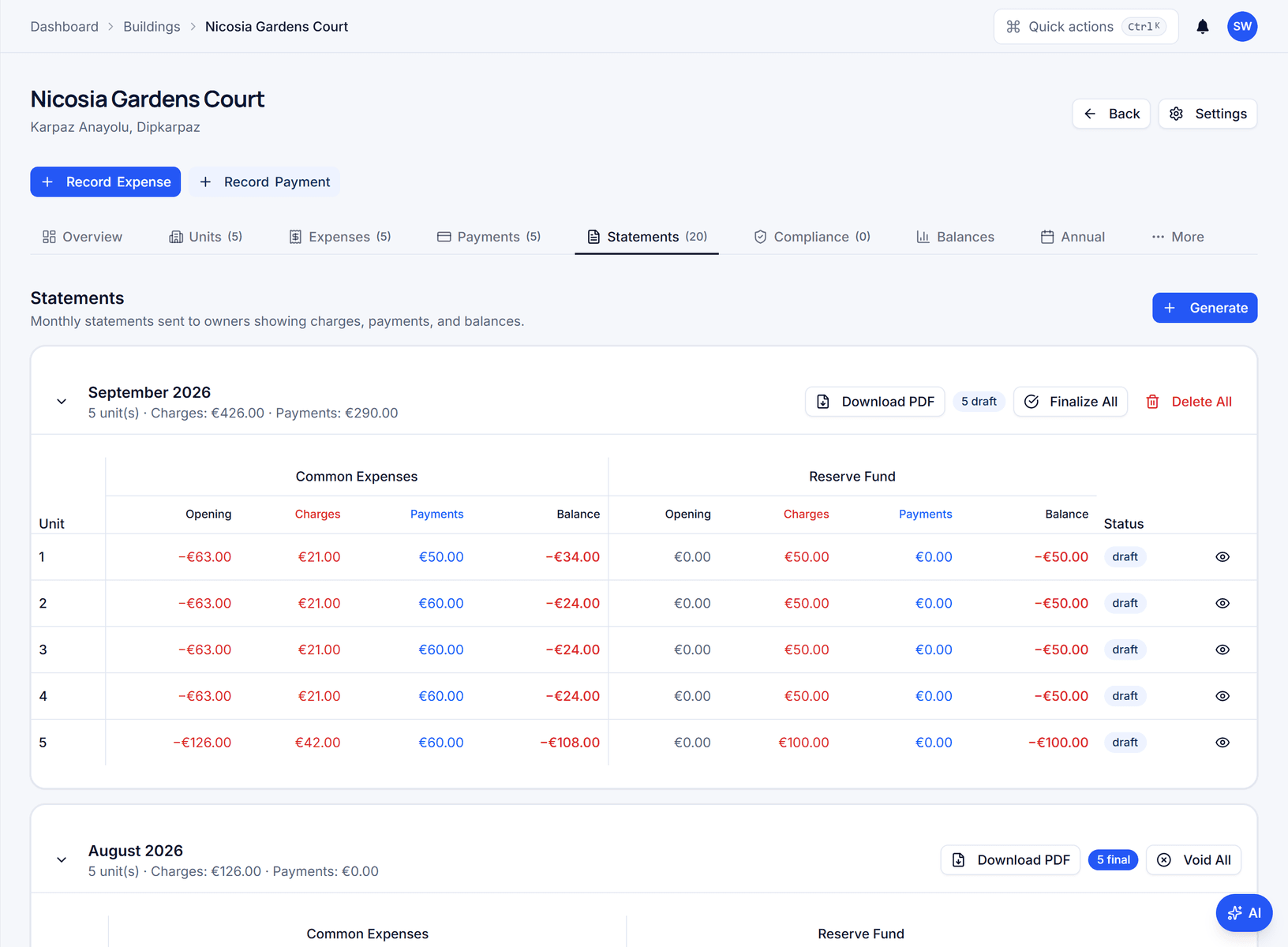
Statements for every unit, from the approved figures

Statement generation & delivery

Generate owner statements per unit and period, with every charge line, the payments applied and closing balances for both funds.

https://domera.cy/dashboard/buildings
Statements tab of a building before any statements exist, with a Generate button and an empty-state message

Outcome

Statements render as PDFs in the company's locale and currency — 31 countries supported — and owners are notified with a link to the portal.

In practice

Why teams use this feature

What managers and committees tell us it changes in the monthly routine.

  • Draft then finalise: nothing reaches owners until you finalise

  • Common and reserve fund sections with opening, payments, closing

  • In-app and email notification on finalisation; summary email for owners without an account

  • Common fund and reserve fund sections on one statement

  • In-app notification for portal owners, email for owners without an account

  • Unit account history across periods, for arrears questions

  • Company logo and payment instructions on every PDF

How it works

What this feature does

Generate the month's statements for every unit in a building in one action. Each statement lists the common expense lines — description, invoice total, share, charge — the payments credited, and opening and closing balances, with a separate reserve fund section. Statements start as drafts; finalising them publishes to the owner portal, notifies owners in-app and by email, and sends a summary email to owners without an account. Each unit's PDF is available to download.

01

What is on an owner statement?

The period. Under 'Common expenses', one line per allocated expense: description, invoice total, the unit's share, the charge — 'Electricity (common areas), €65.30, 16.66 %, €10.88'. Payments as credits with their method. Opening, payments and closing balance. A separate 'Reserve fund' section with the levy, its payments and its own balances. Nothing on the statement is typed; every figure comes from an approved expense or a recorded payment.

02

How the month closes

Approve the period's expenses — a draft expense cannot reach a statement. Record the payments. Generate: one statement per unit, in draft, visible to the team only. Check a few; the total of all statements equals the total of allocated expenses, because both are read from the same allocation rows. Finalise all. From that moment the statements are locked and visible in the owner portal.

03

How do owners get it?

On finalisation each owner receives an in-app notification and an email through Novu naming the period and the amount due, with a link to the portal. An owner who has not created an account receives a summary email with the figures and an invitation to sign up; documents are never attached to email. The PDF, formatted in the company's locale and currency, is downloadable per unit.

04

Why the statement and the ledger cannot disagree

There is one source: the allocation rows and the payment rows. The statement reads them; the owner portal reads them; the building's balances tab reads them. A correction is a new expense or payment with its own audit entry, not an edit to a finalised statement. When an owner disputes a €20.17 line, the invoice behind it is one click away in the documents, if you have shared it.

In the product

See it on the screen

https://domera.cy/dashboard/buildings

Interface shown is from an earlier version

A unit's statement in draft

Statement detail for unit A-101, May 2026: three common expense lines with invoice total, share percentage and charge, total €51.05, opening €0.00 and closing −€51.05, over the building's statements list with four draft rows

Related

Keep exploring

  • AI building assistant

    Ask about any building, owner or balance in plain language; the Domera assistant answers from your company's own records.

    Learn more
  • Smart allocation engine

    Allocate every common expense by ownership share, floor area, equal parts, floor level, lift share or a custom rule.

    Learn more
  • Owner portal transparency

    Owners sign in and read their own units' statements, balances, payments, documents, compliance status and meetings.

    Learn more

FAQ

Frequently asked questions

More answers on the full FAQ page.

Can we generate statements for all owners in a building at once?
Yes. Generate produces one statement per unit for the period; Finalise all publishes them together. Individual statements can be reviewed before finalising.
Do statements show both common and reserve fund details?
Yes. Each statement has a common expenses section and a reserve fund section, each with its own lines, opening, payments and closing balance.
How do owners receive their statements?
In the owner portal, with an in-app notification and an email naming the period and amount due on finalisation. Owners without an account receive a summary email with the figures and a sign-up link. The PDF is downloadable per unit; documents are not attached to email.

Start with one building

Ready to put the building's books in order?

Start the 14-day trial, add the first building and run one month through it. Import the owners, post the invoices, issue the statements.

  • 14-day free trial
  • No credit card required
  • Cancel any time