Ask your buildings a question

AI building assistant

Ask about any building, owner or balance in plain language; the Domera assistant answers from your company's own records.

https://domera.cy/dashboard
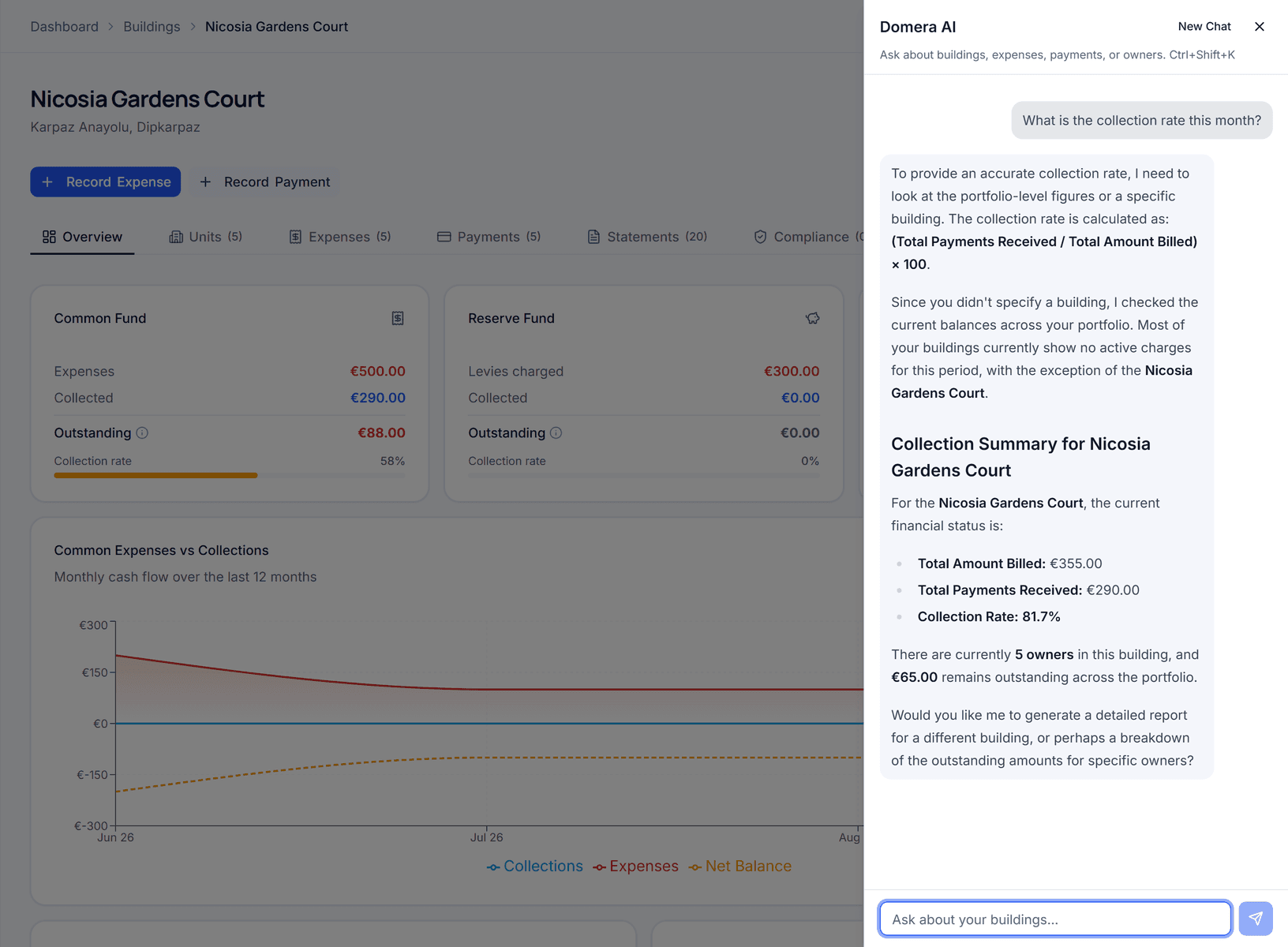
Domera assistant panel beside a building overview, answering 'What is the collection rate this month?' with the formula, the building's billed and received totals and a collection rate of 81.7 %

Outcome

Twenty-eight read tools answer the questions; three write tools — create an expense, record a payment, approve an expense — return a preview and post nothing until you confirm.

In practice

Why teams use this feature

What managers and committees tell us it changes in the monthly routine.

  • Answers from your own buildings, owners, balances, compliance and reserve funds

  • Three write actions, each behind a preview you confirm

  • Audit trail entries marked source: ai_agent

  • Answers on balances, arrears, the reserve fund, compliance and vendors, scoped to your company's data

  • Create expense, record payment and approve expense each show a preview you confirm

  • Nothing is posted without confirmation, and every posting carries the normal audit entry

  • Opens from anywhere in the dashboard with Ctrl+Shift+K

How it works

What this feature does

The Domera assistant is a chat panel inside the dashboard (Ctrl+Shift+K). Ask in plain words — 'what is the collection rate this month?', 'which vendors did we pay most this year?' — and it answers from your company's own data through about 28 read tools. Three write tools — create an expense, record a payment, approve an expense — show a preview you confirm before anything is saved; the audit trail marks those entries as AI-initiated.

01

What can it answer?

Questions whose answer is in your data: a building's collection rate and outstanding balance; an owner's balance and payment history; which vendor was paid most this year; which inspections are overdue; the reserve fund position per building; the expenses of a period. Around 28 read tools cover buildings, units, owners, expenses, payments, statements, compliance, reserve funds and vendors. It does not browse the web or read other companies' data.

02

What can it do, and what stops it?

Three things: create an expense, record a payment, approve an expense. Each returns a preview — vendor, amount, category, building — with confirm and cancel; nothing is written until you confirm. The write runs as your user, through the same server action a button would call, so your role and building membership are checked. The audit entry carries source 'ai_agent'.

03

What the assistant sees

Your company's rows, through row-level security, as the signed-in user: a manager's assistant sees the manager's buildings. Requests are rate-limited. The model is Google Gemini, configurable by environment; your question and the data needed to answer it are sent to the model — a point to record in your data processing agreements.

04

What it is not

Not an accountant: it produces figures, not filings. Not a decision-maker: the three write actions wait for your confirmation. Not a source of law: ask when the lift is due and it reads your compliance register; ask what the law requires and confirm with the competent authority. Not a search engine: it reads your data, not the web.

In the product

See it on the screen

https://domera.cy/dashboard/buildings

Expense from an invoice

Add expense dialog with an 'upload invoice to auto-fill' drop zone beside vendor, description, total amount, VAT rate, invoice number and period fields

Related

Keep exploring

  • Smart allocation engine

    Allocate every common expense by ownership share, floor area, equal parts, floor level, lift share or a custom rule.

    Learn more
  • Owner portal transparency

    Owners sign in and read their own units' statements, balances, payments, documents, compliance status and meetings.

    Learn more
  • Statement generation & delivery

    Generate owner statements per unit and period, with every charge line, the payments applied and closing balances for both funds.

    Learn more

FAQ

Frequently asked questions

More answers on the full FAQ page.

Can the Domera assistant change data without my approval?
No. The three write actions — create expense, record payment, approve expense — each show a preview with confirm and cancel. Nothing is saved until you confirm, and the audit entry is marked ai_agent.
Does the assistant see data from other management companies?
No. It queries as the signed-in user through the same row-level security as every other screen, so it reaches only your company's rows — and, for a manager, only their assigned buildings.
What kinds of questions can the assistant answer?
Anything in your own data: balances and collection rates per building or owner, vendor spend, expenses of a period, overdue inspections, reserve fund positions, statements. It cannot answer legal questions or look anything up outside your company.

Start with one building

Ready to put the building's books in order?

Start the 14-day trial, add the first building and run one month through it. Import the owners, post the invoices, issue the statements.

  • 14-day free trial
  • No credit card required
  • Cancel any time