For operations teams
Every building in the portfolio, on the same rules
Allocation rules, recurring expenses, statements and reminders run the same way in every building, for every manager.
Every allocation is computed in cents and rounded by the largest-remainder method, so the lines sum exactly to the invoice
In practice
What changes, in practice
A management company across Europe takes on the same work with every building: invoices to allocate, statements to publish, payments to post, owners to answer. The allocation rule is set once per building and category, recurring templates raise the drafts, statements go out as PDFs in the company's locale, and each manager works only in their assigned buildings. In Cyprus, for example, that means per-mille shares, a lift share for the tower, and a clearance certificate before every sale.
Pain points addressed
- Allocation formulas that differ from one spreadsheet to the next
- Utility invoices entered twice for the same period
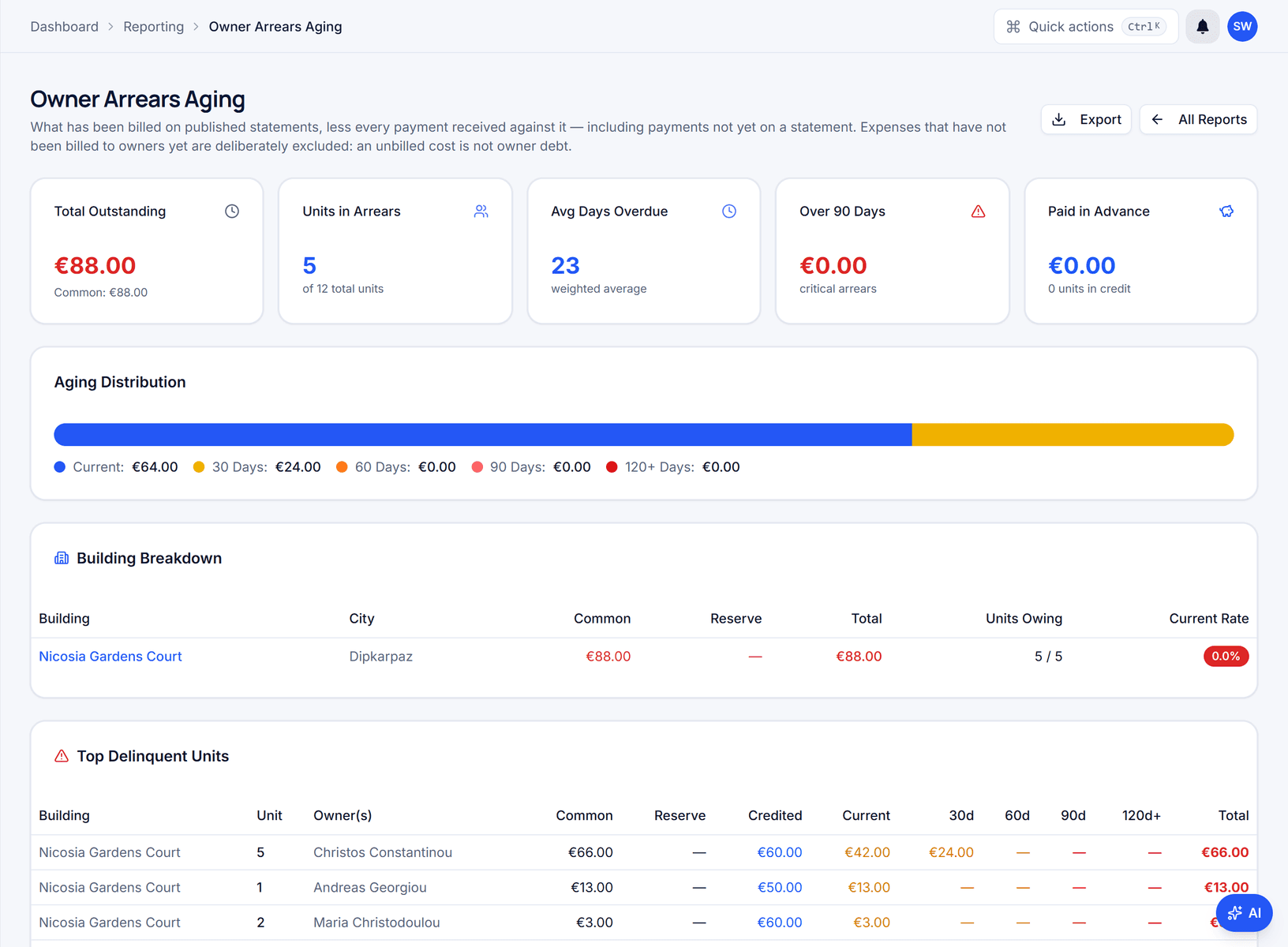
- Owners asking for a balance the office has to reconstruct by hand
- No single list of which inspection, renewal or meeting falls due this month
Core capabilities
- Six allocation methods, set per building and expense category
- Recurring templates that raise draft expenses on schedule
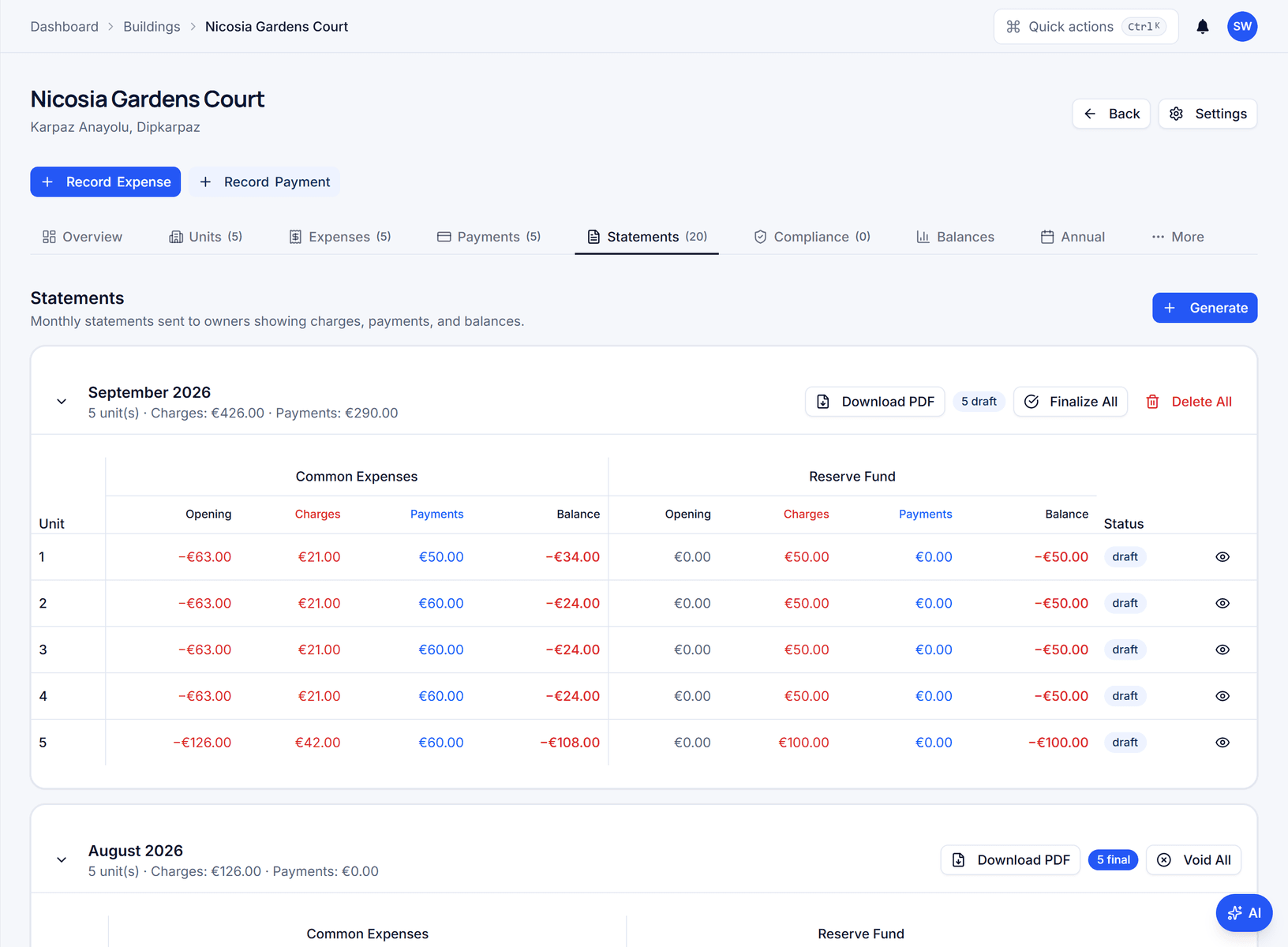
- Statements as PDF per unit, common and reserve funds separated
- Action centre with a health score per building and manager scoping
Expected outcomes
- Allocations that sum to the invoice, to the cent
- One statement format across every building and country
- A due-date list spanning compliance, insurance, contracts, meetings and tasks
- An audit entry on every expense, allocation, payment and statement
In the product
What property managers see in Domera
Why do allocations differ between buildings?
Because each spreadsheet carries its own formula. The method is set per building and expense category — ownership share, square metres, equal parts, per floor, lift share or custom — and every expense in that category uses it. In Cyprus, for example, the lift invoice runs on lift shares with the ground floor at zero, insurance on per-mille shares. Amounts are computed in cents.
What does the monthly close look like?
Recurring templates raise the month's drafts — electricity, cleaning, the lift contract — and a period check warns when a utility bill overlaps one already entered. You approve each draft, and approval computes and locks the allocations. Statements are then generated per unit as PDFs, the two funds shown apart, and owners notified. Each step leaves an audit entry with actor and time.
Which building needs attention today?
Each building carries a health score: 100 minus deductions for a collection rate under 90 %, outstanding balances, draft expenses, overdue tasks, expired insurance and overdue inspections. The Action centre lists the worst five with the reason for each deduction, beside every inspection, renewal, meeting and reminder due. An out-of-pattern feed flags invoices well above the norm and possible duplicates. A manager sees their assigned buildings; the admin sees all.
How is the management fee invoiced?
Your own services are invoiced from recurring templates with a sequential number (prefix plus a six-digit counter), the VAT amount, and a PDF filed to the building's documents. The revenue dashboard totals by month, building and service line and exports to CSV. VAT follows the company's country; in Cyprus, for example, the standard rate is 19 % where the fee is taxable — confirm the treatment with your accountant.
Validation
Why property managers choose Domera
- 01
Every allocation is computed in cents and rounded by the largest-remainder method, so the lines sum exactly to the invoice
- 02
Managers see only their assigned buildings and admins the whole company — enforced by row-level security in the database, not by the menu
- 03
Statements render in the company's locale and currency — 31 countries supported
Next step
Recommended features
Smart allocation engine
Allocate every common expense by ownership share, floor area, equal parts, floor level, lift share or a custom rule.
Action centre & health scoring
Open the day on one list of what is due across the portfolio: inspections, renewals, meetings, reminders and tasks.
Payment reconciliation
Record payments against a unit and apply them across charges and owners in a single database transaction.
Contracts & insurance lifecycle
Keep every service contract and insurance policy in a register with its dates, premium, cover and source document.
Document control & evidence hub
File invoices, certificates, contracts, banking documents and inspection photos per building, with categories and versions.
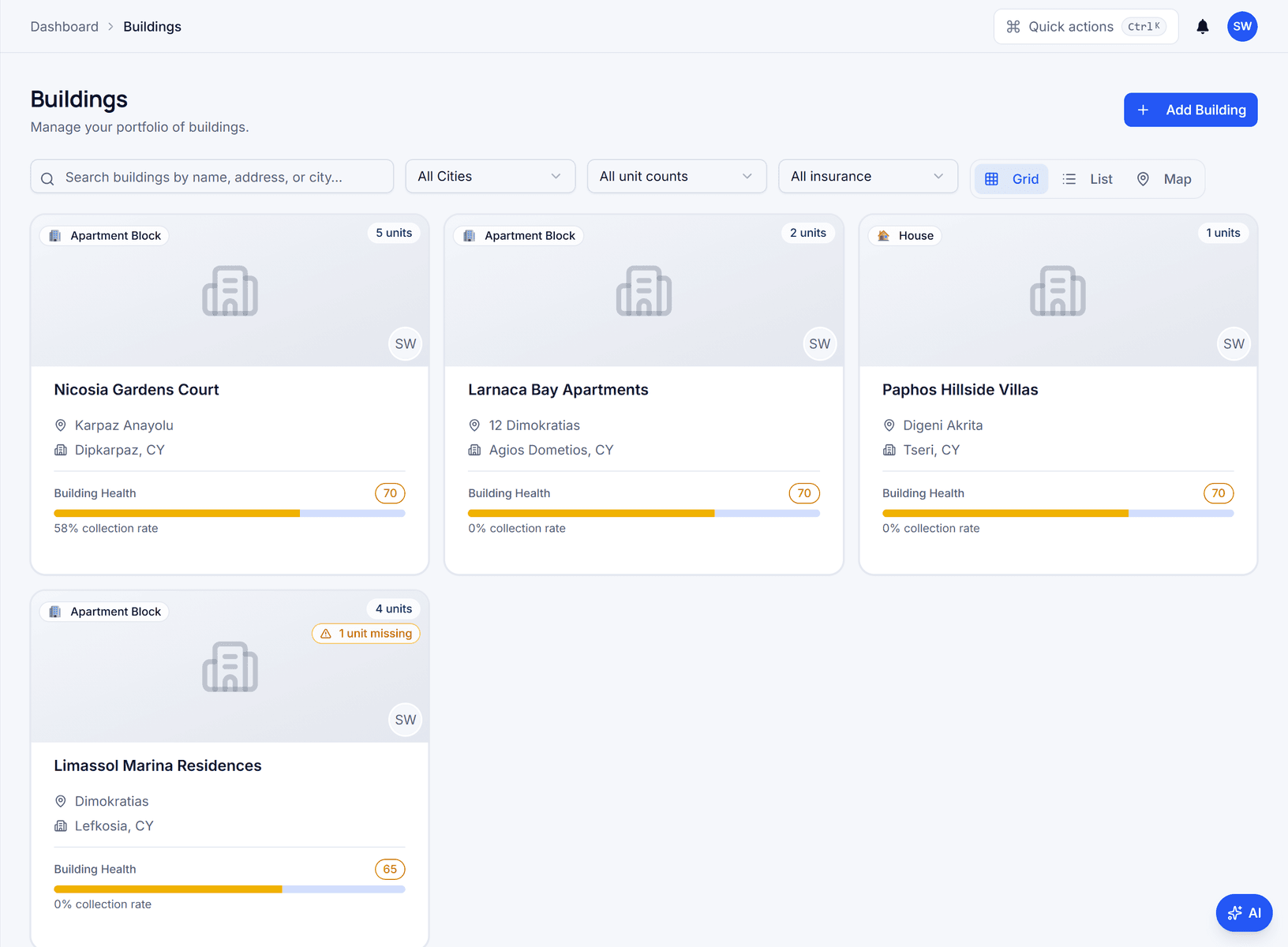
Portfolio map & building health visibility
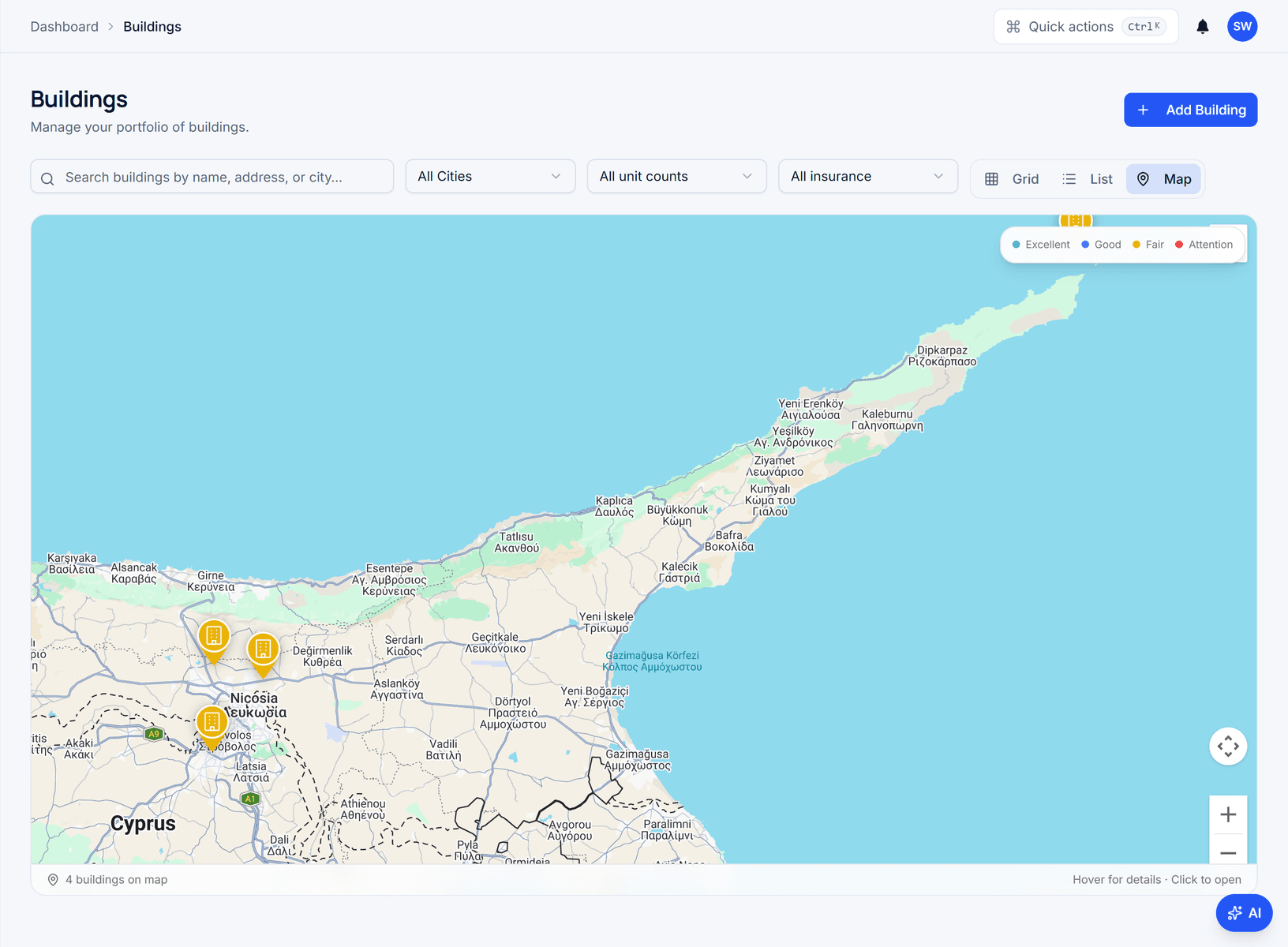
See every building on a map, coloured by health status, and open its operations from the marker.
FAQ
Frequently asked questions
- How do we move an existing portfolio to Domera?
- Building by building. Set up the building in the six-step wizard, import opening balances per unit from CSV, run one month alongside your current process and compare the statements line by line. Bulk import of buildings, units and owners is not available yet; we help with the migration.
- Can different team members work on different buildings at the same time?
- Yes. Each manager is assigned buildings and sees only those — in the lists, the Action centre and the command palette; the restriction is enforced by database policy. Admins see every building in the company. Managers record and approve expenses and post payments in their buildings; deleting records and connecting an owner to a sign-in stay with admins.
- Does Domera handle the management company's own invoicing?
- Yes. Services you provide — the management fee, cleaning, administration — are invoiced from recurring templates with sequential numbering and the VAT amount, as PDFs filed to the building. Revenue is shown per building, per service type and per month. Domera does not file the VAT return; it produces the figures your accountant needs.
Start with one building
Ready to put the building's books in order?
Start the 14-day trial, add the first building and run one month through it. Import the owners, post the invoices, issue the statements.
- 14-day free trial
- No credit card required
- Cancel any time