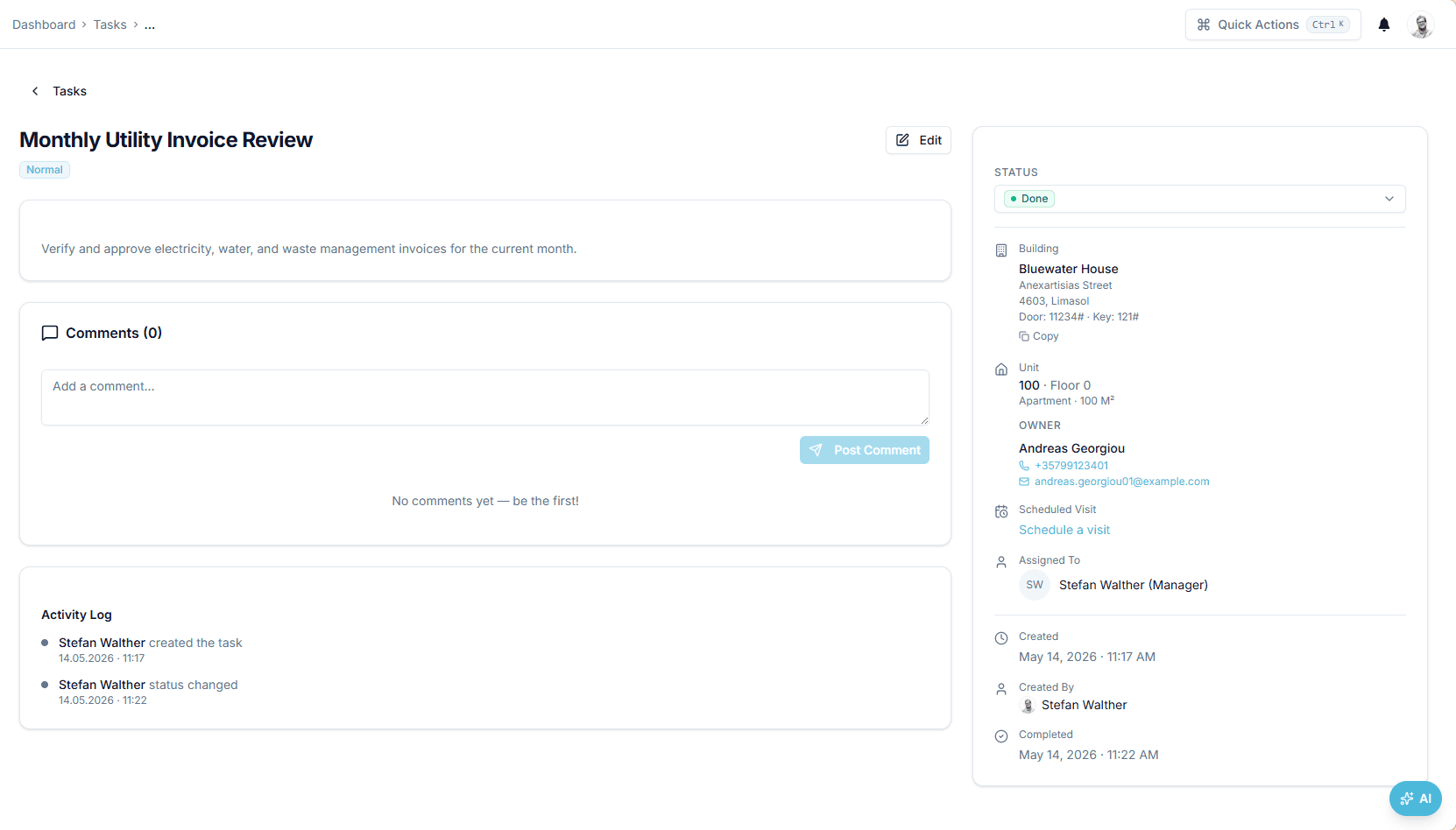
Every job has a building, an owner and a status

Task & workflow management

Assign maintenance and operational tasks per building, follow them from open to closed, and keep the discussion on the task.

https://domera.cy/dashboard/tasks
Task detail page caught while loading — grey placeholder blocks where the subject, context and activity will render

Interface shown is from an earlier version

Outcome

Assignment, claim, comment, status change and overdue events each send a notification, and overdue tasks deduct from the building's health score.

In practice

Why teams use this feature

What managers and committees tell us it changes in the monthly routine.

  • Four statuses, priorities, categories and vendor tags per task

  • Comments, assignments, claims and status changes notified in-app and by email

  • Owner-reported issues become tasks automatically

  • States: open, in progress, done, closed

  • Comments on the task, notified to the people involved

  • Tasks created automatically from compliance items where enabled

  • Owner maintenance requests from the portal, with status updates back to the owner

How it works

What this feature does

Create a task with a subject, building, due date, priority, status, assignees and category; add the vendor where one is involved. Tasks move through open, in progress, done and closed, in a list or a kanban board; every comment, assignment and status change is recorded and notifies the people involved. Owners' maintenance reports arrive here as tasks. Each overdue task lowers the building health score by 5 points.

01

Where do a building's jobs come from?

From four places: the manager's own list; owners reporting an issue in the portal, which creates a maintenance request and a task; inspections that fail, which can open a high-priority task; and the daily reminders that flag overdue work. Whatever the origin, the task lands on the building it concerns, with a category ('Elevator service contract') and, where relevant, the vendor.

02

What a task record holds

Subject and description; building and unit; due date; priority; status — open, in progress, done, closed; one or several assignees; category and vendor. The list filters by building, status, priority, category and vendor; the kanban board moves the same tasks between columns. Each change writes an activity entry with user and time.

03

Who is told when something changes?

The assignee when a task is assigned or claimed; the participants when a comment is posted; the assignee when a task passes its due date — the task reminder runs daily at 07:00. Notifications arrive in the in-app inbox and by email through Novu. An owner who reported the issue sees its status in the portal as it changes.

04

How the task trail serves the committee

When the committee asks what happened with the lift fault reported on 3 March, open the task: reported by the owner of B-101, assigned to the lift contractor's contact on the 4th, comment with the engineer's visit, closed on the 9th. Each entry is dated and attributed. The building's tasks tab shows open and closed work beside the expenses it caused.

In the product

See it on the screen

https://domera.cy/dashboard/tasks

Interface shown is from an earlier version

Create task panel

Create task side panel with subject, description, building, due date, priority, status, assignee and category fields, beside the tasks list

Related

Keep exploring

  • AI building assistant

    Ask about any building, owner or balance in plain language; the Domera assistant answers from your company's own records.

    Learn more
  • Smart allocation engine

    Allocate every common expense by ownership share, floor area, equal parts, floor level, lift share or a custom rule.

    Learn more
  • Owner portal transparency

    Owners sign in and read their own units' statements, balances, payments, documents, compliance status and meetings.

    Learn more

FAQ

Frequently asked questions

More answers on the full FAQ page.

Can we assign tasks to vendors as well as internal staff?
Tasks are assigned to team members and can carry the vendor involved, so supplier follow-up is on the same record. The activity trail records every update whoever makes it.
How do we see all open tasks for a specific building?
Each building has a tasks tab with its open, in-progress, done and closed items. The portfolio tasks page filters by building, status, priority, category, vendor and 'my tasks'.
Is the task activity trail available for committee reporting?
Yes. Every status change, assignment, comment and closure is logged with user and timestamp on the task, and the task stays on the building after it is closed.

Start with one building

Ready to put the building's books in order?

Start the 14-day trial, add the first building and run one month through it. Import the owners, post the invoices, issue the statements.

  • 14-day free trial
  • No credit card required
  • Cancel any time