Speed for power users

Keyboard-First Operations

Use a command palette to trigger frequent actions quickly, from creating expenses to navigating between buildings.

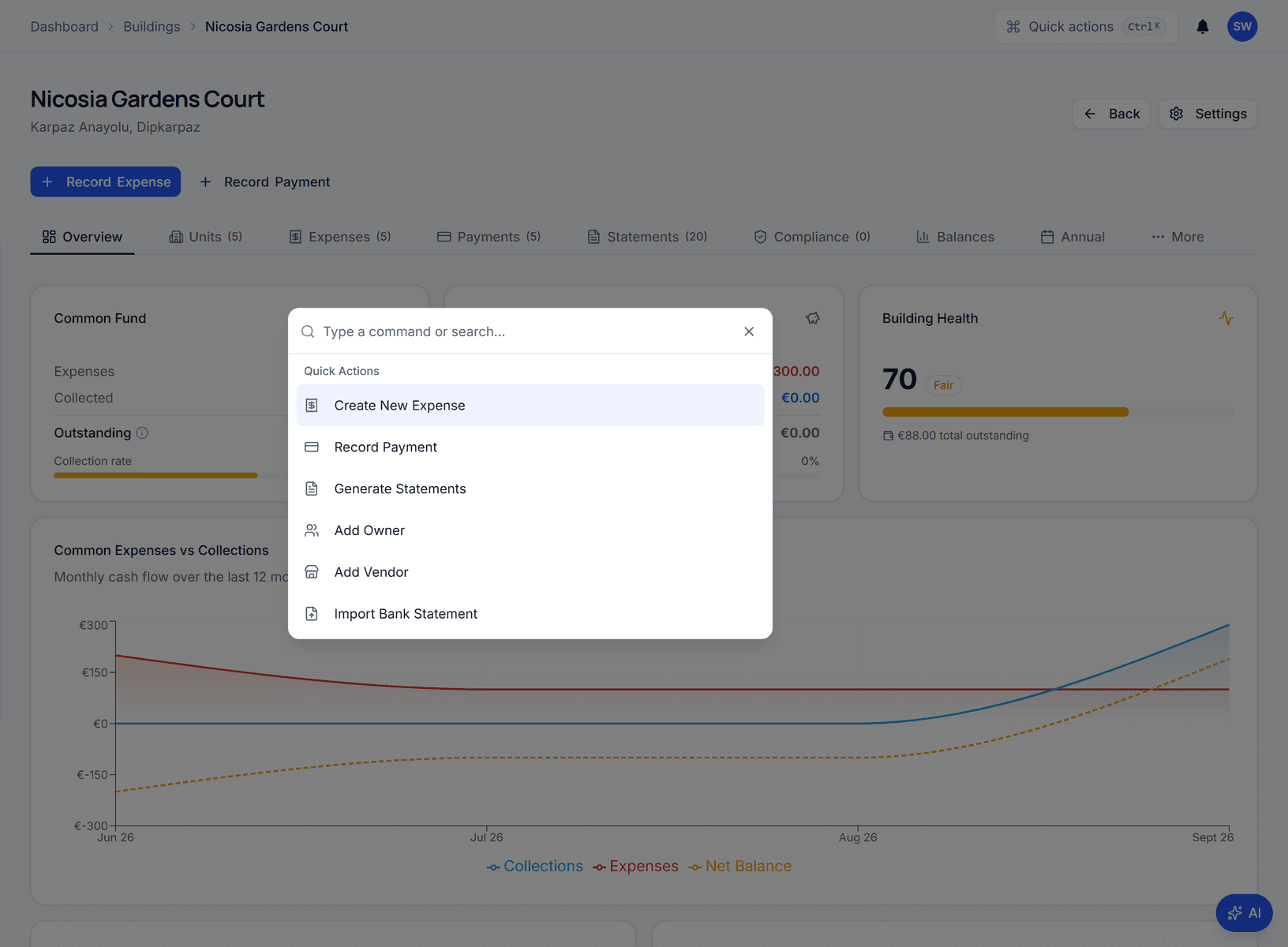
Power users who manage large portfolios need to move fast — creating expenses, switching between buildings, and triggering actions without clicking through menus. Domera's command palette (Cmd/Ctrl+K) provides instant access to every frequent action from anywhere in the application. Search for a building by name, jump to a specific owner's account, create an expense, or navigate to any page in two keystrokes. The palette is context-aware: it surfaces relevant actions based on your current screen and role. For teams that handle dozens of buildings daily, this keyboard-first approach cuts navigation time dramatically and keeps operators in flow.

Increase productivity for advanced users who manage large portfolios.

Why Keyboard Efficiency Matters at Scale

When a property manager handles five buildings, menu-based navigation is fine. When they handle forty, every extra click adds up. Navigating from the portfolio view to a specific building's expense page, then to a vendor detail, then back to another building's payments requires dozens of clicks per session. Over a full working day, this navigation overhead consumes significant productive time. Domera's keyboard-first approach is designed for operators who have moved past the learning curve and need raw speed to manage large portfolios efficiently.

The Command Palette Experience

Press Cmd+K (or Ctrl+K on Windows) from any screen to open the global command palette. Type a few characters to search across buildings, owners, vendors, pages, and actions. Results appear instantly with keyboard-navigable selection. The palette understands context — if you are viewing a building, it prioritizes actions relevant to that building. If you are on the portfolio dashboard, it surfaces portfolio-level operations. This contextual awareness means the palette becomes more useful the more you use it, adapting its suggestions to your workflow patterns.

Actions Beyond Navigation

The command palette is not just a search bar. Teams can trigger operational actions directly: create an expense, record a payment, assign a task, or generate a statement — all without leaving the palette flow. This reduces the multi-step navigation that typically separates the decision to act from the actual action. For teams that process high volumes of transactions daily, this direct action capability transforms the palette from a convenience feature into a core productivity tool.

Accessibility and Role Awareness

The command palette respects role-based access, only surfacing actions and destinations that the current user is authorized to reach. This prevents confusion and accidental navigation to restricted areas. The palette also supports accessibility standards, working with screen readers and keyboard-only navigation patterns. Whether a team member is a full admin or a building-scoped manager, the palette adapts to show exactly what is available to them.

Why Teams Use This Feature

Cuts navigation time for repetitive tasks

Encourages consistent action flows

Improves throughput for high-volume teams

Cmd/Ctrl+K global command palette

Context-aware actions by role

Fast building and workflow switching

Keep Exploring

AI Building Assistant

Ask questions about your buildings in plain language and get instant answers. Create expenses, look up balances, and get financial insights through a conversational AI.

Learn More
Smart Allocation Engine

Automatically split shared building expenses using ownership share, unit area, fixed shares, or custom business rules.

Learn More
Owner Portal Transparency

Give owners secure, read-only access to statements, balances, payments, and building documents in one portal.

Learn More

Frequently Asked Questions

Ready to simplify building expense management?

Start your 14-day free trial and set up your first building in minutes.

14-day free trial
No credit card required
Cancel anytime