Who changed what, when, and from where

Audit trail & security

Isolate every company's data at the database level, and record who changed what and when on every financial record.

https://domera.cy/dashboard
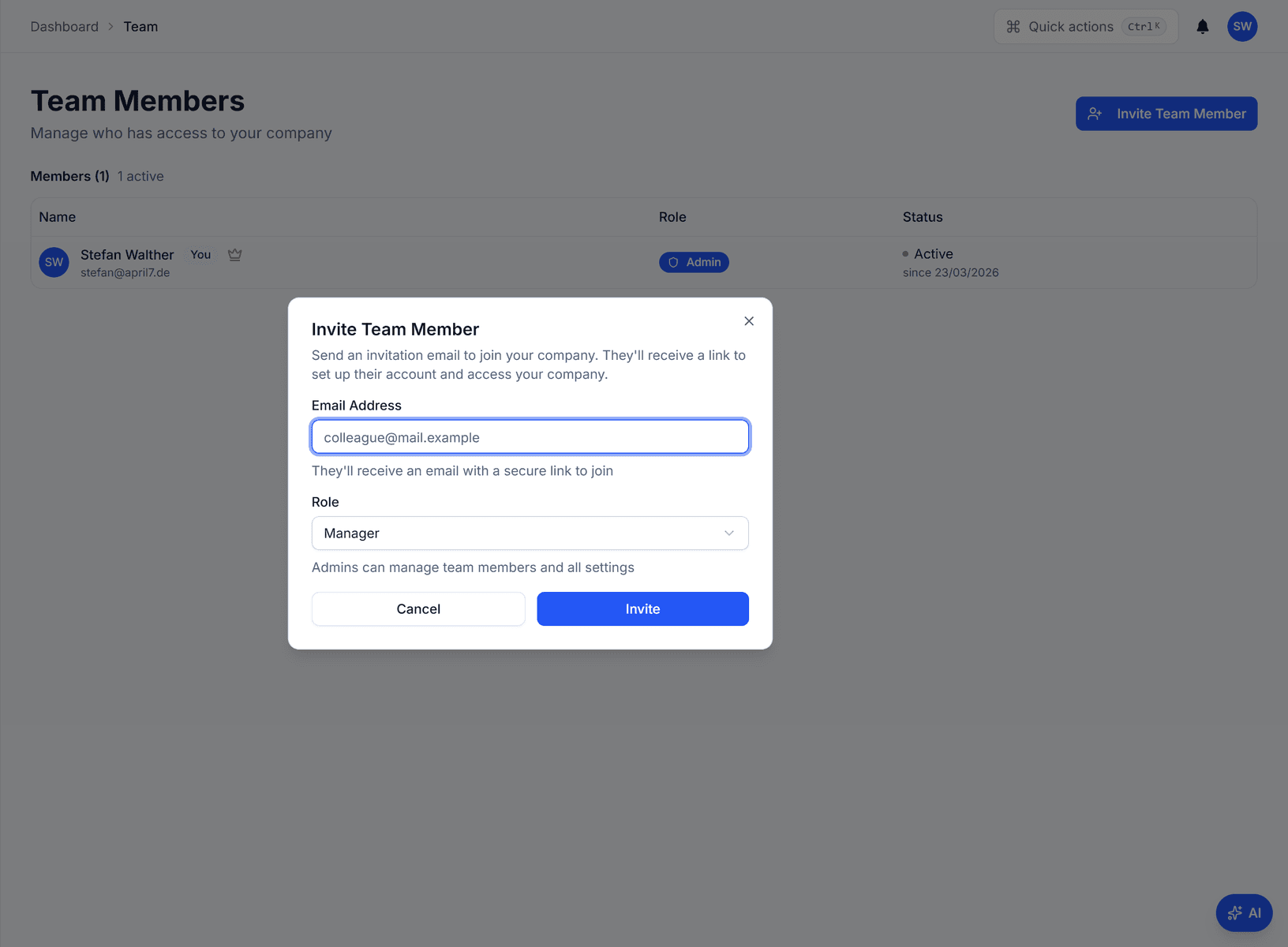
Team members page with the 'invite team member' dialog open: an email address field and a role selector set to Manager

Outcome

Row-level security filters each query by company, and audit entries on expenses, allocations, payments, statements, units, owners and buildings carry actor, time, old and new values.

In practice

Why teams use this feature

What managers and committees tell us it changes in the monthly routine.

  • Row-level security scoped by management company on every table

  • Append-only audit trail with old and new values as JSON, written by triggers

  • Source column distinguishes user, ai_agent, cron and system changes

  • Row-level security on every table, scoped by company

  • Audit entries with actor, timestamp, IP address, old and new values

  • No update or delete path for audit entries through the application

  • Roles: admin for the company, manager for assigned buildings

  • Cloudflare Turnstile on password forms and rate limiting on sign-in

How it works

What this feature does

Every company's data is isolated by row-level security in the database: a query from one management company cannot return another's rows, whatever the application does. Database triggers write an append-only audit entry for every insert, update and delete on financial tables — old values, new values, user, timestamp and source (user, the Domera assistant, scheduled job or system). Company roles are admin and manager; owners and tenants are separate identities with read-only access to their own units.

01

Can one company ever see another's data?

No. Every table carries the management company it belongs to, and a row-level security policy on each table compares it with the signed-in user's active company. The check runs inside PostgreSQL on every query, so a bug in a page cannot widen the result. Owners, who are not company members, are resolved separately and read only their own units through a dedicated path.

02

What does an audit entry contain?

Table, row, action (create, update, delete), the old values and the new values as JSON, the user, the timestamp and the source: user for a manual action, ai_agent when the Domera assistant acted on your confirmation, cron for a scheduled job, system for a trigger. Entries are written by database triggers on the financial tables, and the table has no update or delete policy — entries are appended, never edited.

03

Who can do what

Two company roles: admin — company settings, team, all buildings — and manager — the buildings assigned through building membership. Owners and tenants are not company roles; they are identities matched to owner and tenant records, read-only on their own units. Editing an owner requires managing one of their buildings. Sign-in is by email and password or Google, protected by Cloudflare Turnstile.

04

What does GDPR-minded procurement ask, and what is the answer?

Which rows can a user reach? Only their company's, enforced in the database. Who changed a figure? The audit trail names the user and the source per change. Can a former employee still sign in? Remove them from the team and their membership ends; the removal is itself audited. What does the AI see? Your company's rows only, through the same policies, read-only unless you confirm a write.

In the product

See it on the screen

https://domera.cy/dashboard

Roles on the team page

Team members table behind the invite dialog, showing name, email, role badge and active status

Related

Keep exploring

  • AI building assistant

    Ask about any building, owner or balance in plain language; the Domera assistant answers from your company's own records.

    Learn more
  • Smart allocation engine

    Allocate every common expense by ownership share, floor area, equal parts, floor level, lift share or a custom rule.

    Learn more
  • Owner portal transparency

    Owners sign in and read their own units' statements, balances, payments, documents, compliance status and meetings.

    Learn more

FAQ

Frequently asked questions

More answers on the full FAQ page.

Can one management company ever see another company's data?
No. Row-level security in PostgreSQL compares every row's management company with the signed-in user's active company on every query. An application-layer bug cannot cross that boundary.
Can audit records be modified or deleted?
The audit table is written by database triggers and has a read policy for admins only — no insert, update or delete policy for users. Entries are appended, never edited.
What user roles does Domera support?
Three company roles in the database: super admin (platform), admin (the company) and manager (assigned buildings). Owners and tenants are separate identities resolved from the owner and tenant records, with read-only access to their own units in the portal.

Start with one building

Ready to put the building's books in order?

Start the 14-day trial, add the first building and run one month through it. Import the owners, post the invoices, issue the statements.

  • 14-day free trial
  • No credit card required
  • Cancel any time